> ## Documentation Index
> Fetch the complete documentation index at: https://docs.zyme.sh/llms.txt
> Use this file to discover all available pages before exploring further.
# Billing
> Manage your subscription plan, payments, and billing cycle in zyme.
## Overview
The **Billing** page lets you manage your subscription plan, view renewal details, and update your payment cycle. Whether you’re just getting started or upgrading for long-term use, you can choose a plan that fits your needs.
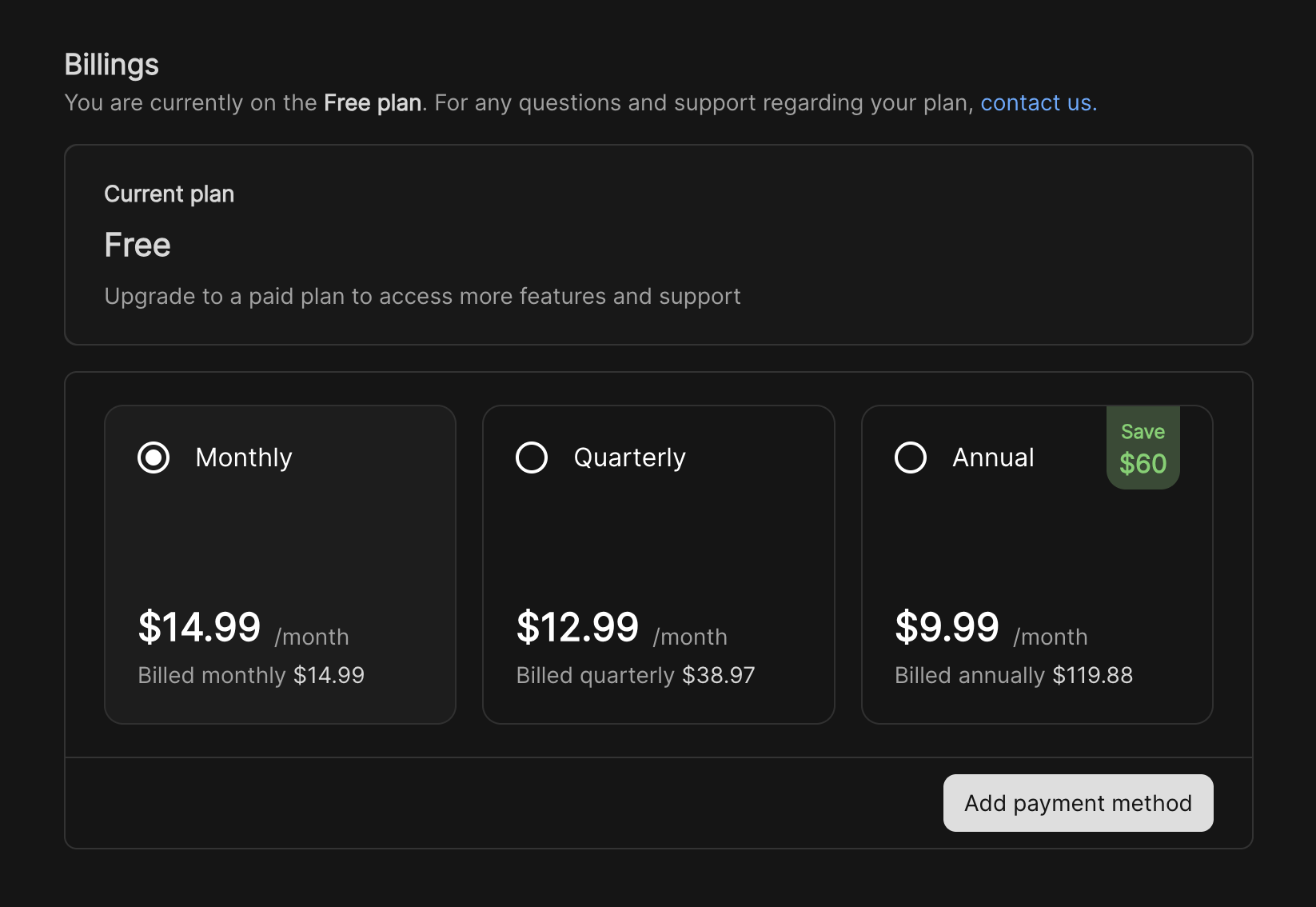 ## Current plan
* Your active subscription is displayed at the top of the Billing page.
* It shows which plan you’re on (Monthly, Quarterly, or Annual) and the renewal date.
* You can cancel your plan anytime by clicking **Cancel plan**.
## Upgrading or switching plans
Open the sidebar and click **Billing** to view your subscription details.
Choose between available options. Your selection will update the highlighted option.
Press the **Upgrade** button to confirm your choice. Your billing cycle and payment amount will be updated automatically.
## Renewal and invoices
* Subscriptions renew automatically at the end of each cycle.
* The renewal date is shown under your active plan.
* Invoices and receipts are sent to your account email for each payment.
## Current plan
* Your active subscription is displayed at the top of the Billing page.
* It shows which plan you’re on (Monthly, Quarterly, or Annual) and the renewal date.
* You can cancel your plan anytime by clicking **Cancel plan**.
## Upgrading or switching plans
Open the sidebar and click **Billing** to view your subscription details.
Choose between available options. Your selection will update the highlighted option.
Press the **Upgrade** button to confirm your choice. Your billing cycle and payment amount will be updated automatically.
## Renewal and invoices
* Subscriptions renew automatically at the end of each cycle.
* The renewal date is shown under your active plan.
* Invoices and receipts are sent to your account email for each payment.