> ## Documentation Index
> Fetch the complete documentation index at: https://docs.zyme.sh/llms.txt
> Use this file to discover all available pages before exploring further.
# Client
> Manage your client list in zyme; add new clients, organize them with labels, and keep track of key details.
## Overview
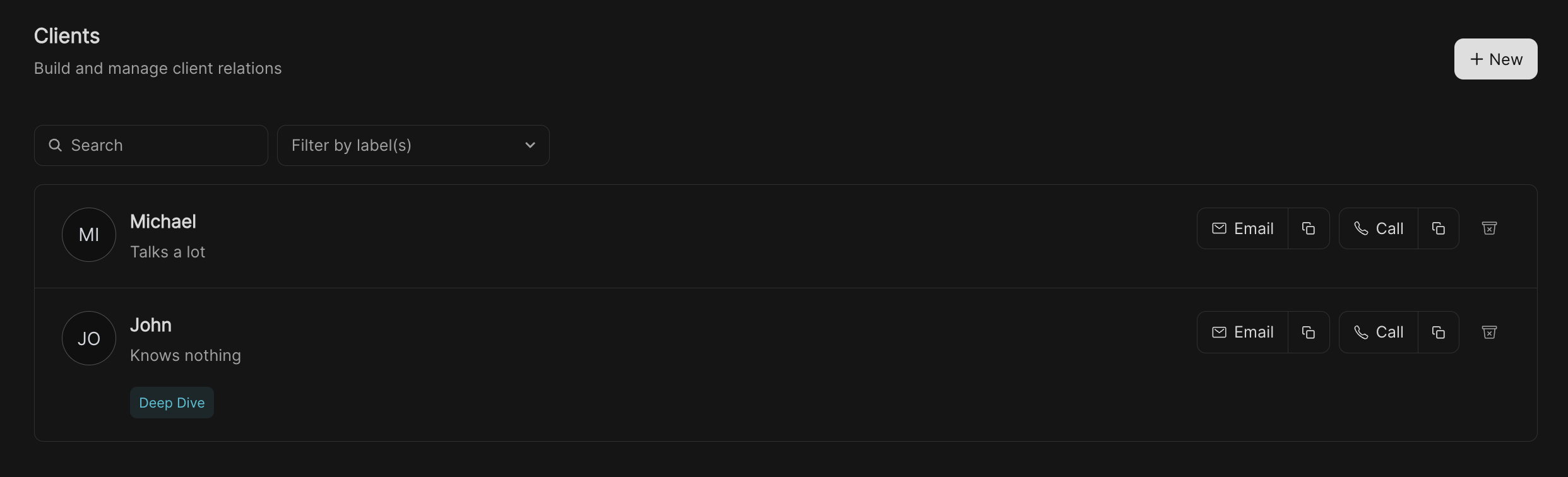
The **Clients** page allows you to manage the people you work with. Clients can be added automatically when
they book a workflow, or manually when you want to keep track of someone directly. This section helps you centralize client information and build stronger relationships.
 ## How clients are added
There are two ways clients appear in your list:
* **Automatic** – If **Auto-add booker to Clients** is enabled in your [Preferences](/preferences), anyone who books one of your workflows will be added here.
* **Manual** – You can also add a client yourself by clicking the **New** button and entering their details.
## Adding a client manually
## How clients are added
There are two ways clients appear in your list:
* **Automatic** – If **Auto-add booker to Clients** is enabled in your [Preferences](/preferences), anyone who books one of your workflows will be added here.
* **Manual** – You can also add a client yourself by clicking the **New** button and entering their details.
## Adding a client manually
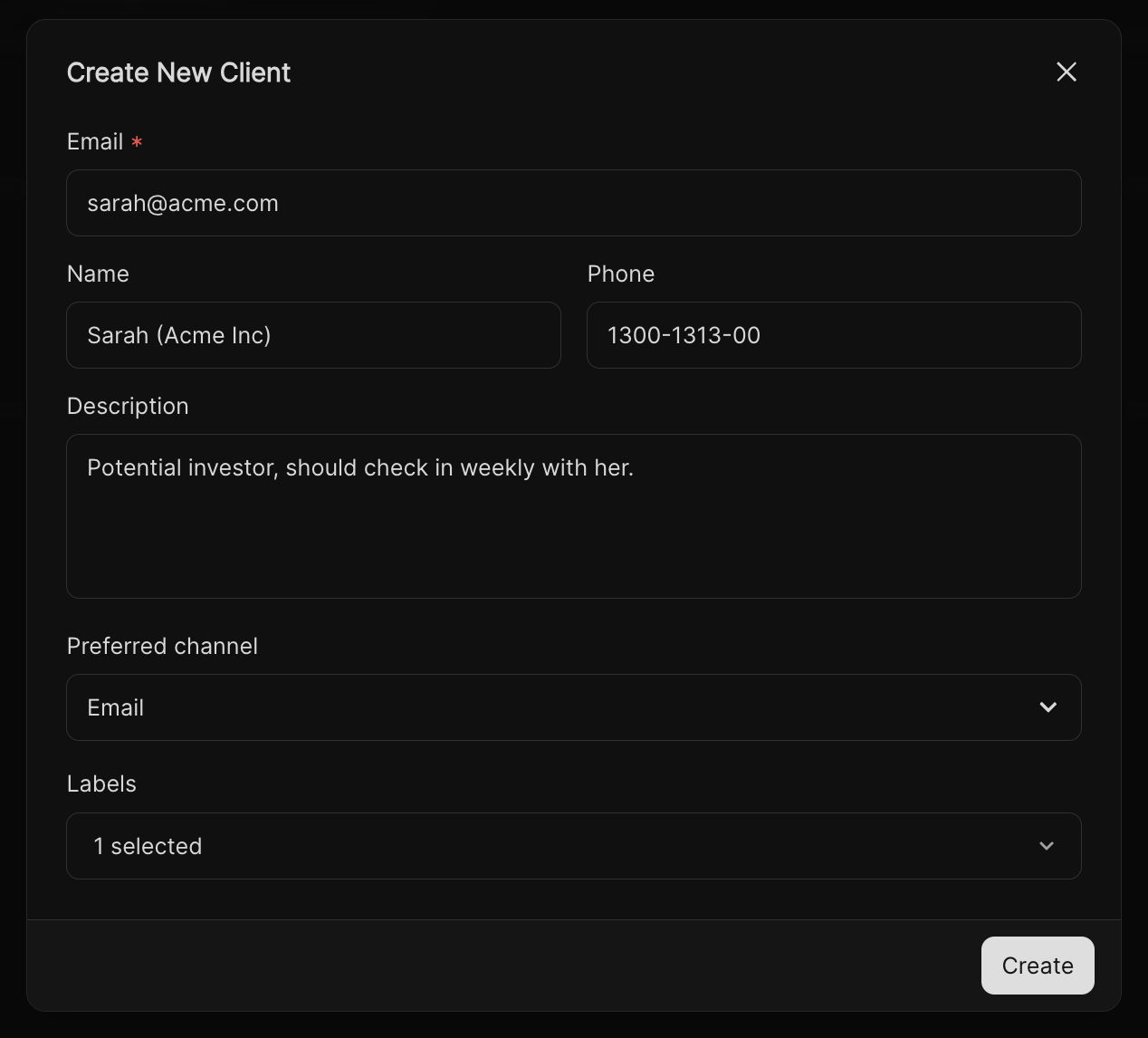 On the Clients page, click the **+ New** button in the top right corner.
Enter information such as:
* **Email** (required)
* **Name** and **Phone**
* **Description** (context about the client or project)
* **Preferred channel** (e.g., Email, Phone)
* **Labels** to categorize and organize clients
Click **Create** to add the client to your list.
## Managing clients
Once a client is in your list, you can:
* **Search & filter** – Use the search bar or label filters to quickly find clients.
* **Edit details** – Update client information at any time.
* **Add labels** – Tag clients by type (e.g., VIP, Prospect, Company).
* **Delete clients** – Remove clients from your list if they are no longer relevant.
On the Clients page, click the **+ New** button in the top right corner.
Enter information such as:
* **Email** (required)
* **Name** and **Phone**
* **Description** (context about the client or project)
* **Preferred channel** (e.g., Email, Phone)
* **Labels** to categorize and organize clients
Click **Create** to add the client to your list.
## Managing clients
Once a client is in your list, you can:
* **Search & filter** – Use the search bar or label filters to quickly find clients.
* **Edit details** – Update client information at any time.
* **Add labels** – Tag clients by type (e.g., VIP, Prospect, Company).
* **Delete clients** – Remove clients from your list if they are no longer relevant.