> ## Documentation Index
> Fetch the complete documentation index at: https://docs.zyme.sh/llms.txt
> Use this file to discover all available pages before exploring further.
# Publish Workflow
> Learn how to publish workflows and make them publicly accessible through a shareable link.
## Overview
Workflows can be kept private for your team or published publicly so others can access them via a shareable link.
## How to publish a workflow
You can make a workflow public in two ways:
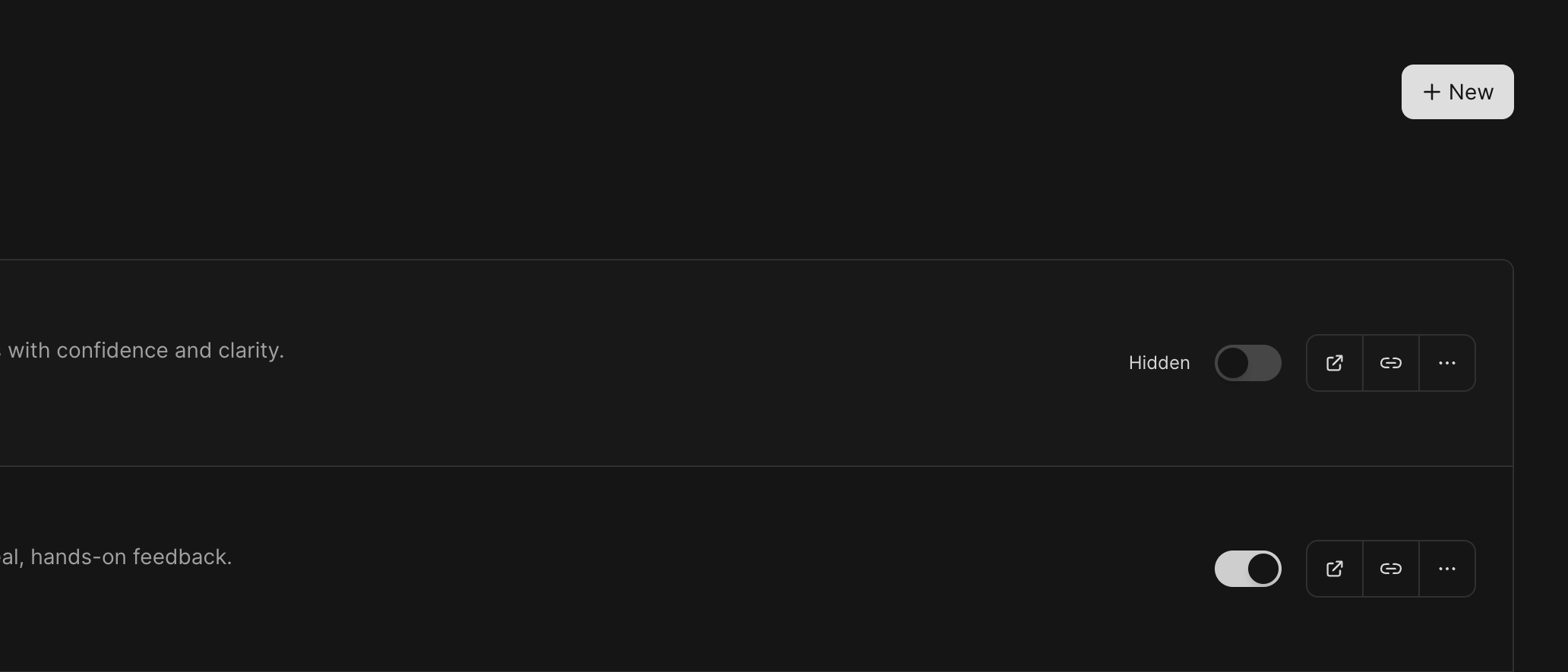 Go to the **Workflows list** view.\
Locate the workflow you want to share and toggle the **Publish switch** directly on the card.
Open the workflow’s detail page.\
In the top-right corner, toggle the **Publish switch** to make it public.
***
## Accessing published workflows
Once a workflow is published, it will be available through the unique link you created during setup (e.g. `https://zyme.sh//`).\
Anyone with this link can view and access the workflow—even if they’re not part of your workspace.
***
## Best practices
* Only publish workflows you’re comfortable sharing externally.
* Use clear titles and descriptions before publishing, since they’ll be visible publicly.
* Share the link directly with clients, partners, or collaborators for easy access.
Go to the **Workflows list** view.\
Locate the workflow you want to share and toggle the **Publish switch** directly on the card.
Open the workflow’s detail page.\
In the top-right corner, toggle the **Publish switch** to make it public.
***
## Accessing published workflows
Once a workflow is published, it will be available through the unique link you created during setup (e.g. `https://zyme.sh//`).\
Anyone with this link can view and access the workflow—even if they’re not part of your workspace.
***
## Best practices
* Only publish workflows you’re comfortable sharing externally.
* Use clear titles and descriptions before publishing, since they’ll be visible publicly.
* Share the link directly with clients, partners, or collaborators for easy access.